Take Control of Online Safety with PrivadoVPN
PrivadoVPN’s Parental Controls make it easy to manage what your household can access online. From filtering harmful sites to setting restrictions on specific categories, these tools help you maintain a safer, more focused Internet environment for every connected device.
Parental Controls are part of the PrivadoVPN Control Tower feature suite, alongside tools like Threat Prevention, Ad Blocker, and Secure DNS. They work directly at the network level, meaning your chosen restrictions apply to all devices using your VPN connection — without needing to install extra software.
Key Benefits of PrivadoVPN Parental Controls
1. Block Harmful and Inappropriate Sites
Choose from predefined categories such as adult content, gambling, and substance abuse to automatically block entire groups of unsafe websites.
2. Manage Access by Category
Easily customize filters to match your household’s needs — whether that means limiting access to social platforms during study hours or blocking risky sites altogether.
3. Apply Rules Across All Devices
Once activated in Control Tower, your parental control preferences automatically extend to all connected devices through PrivadoVPN. This includes phones, computers, tablets, smart TVs, and more.
4. Simplify Internet Safety Management
Instead of managing individual device settings, Control Tower applies your rules to select users across devices for consistent protection.
How to Set Up Parental Controls in PrivadoVPN
Step 1: Sign in to Your Account
Log in to your PrivadoVPN Control Panel with your Premium account.
Step 2: Create a Profile
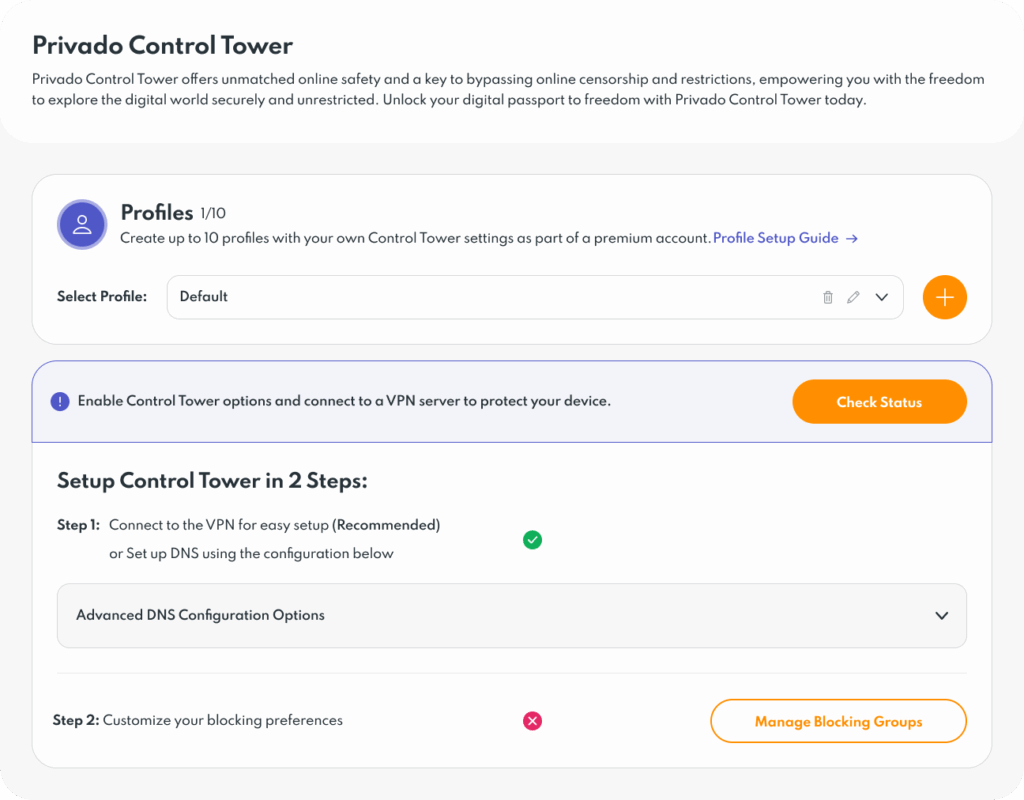
Before setting restrictions, create a new profile for the user or group you want to manage. You can create up to 10 profiles — ideal for assigning specific rules to different family members or devices. For example, set one profile for your children and another for shared household devices.
Step 3: Open Control Tower Settings
Select the profile you just created and scroll down to Control Tower Settings. Under the Family Security section, toggle on Parental Controls. You can choose to activate all filters or open the menu to block specific categories, such as adult content, gambling, or social media.
Step 4: Customize Your Filters
Fine-tune your settings by selecting which types of websites or activities to restrict. PrivadoVPN’s filters are regularly updated to include newly identified unsafe or inappropriate sites.
Why Use Parental Controls with a VPN?
Traditional parental control apps only manage specific devices, while PrivadoVPN’s network-based approach protects every device using your VPN connection. This method prevents users from bypassing filters and works even on smart TVs and IoT devices that don’t support apps.
Get Full Protection with PrivadoVPN Premium
Parental Controls are available exclusively with PrivadoVPN Premium. In addition to Internet safety filters, Premium users get unlimited VPN access, advanced Threat Prevention, Ad Blocking, and Secure DNS protection — all from one easy dashboard.Stay in control of your household’s Internet experience. Upgrade to PrivadoVPN Premium to activate Parental Controls and secure every device today.