TL;DR: Private browsing clears local history and cookies after a session ends. It does not hide your IP address, block Internet tracking, or stop ISPs and networks from seeing your activity.
Quick Answer: What Is Private Browsing?
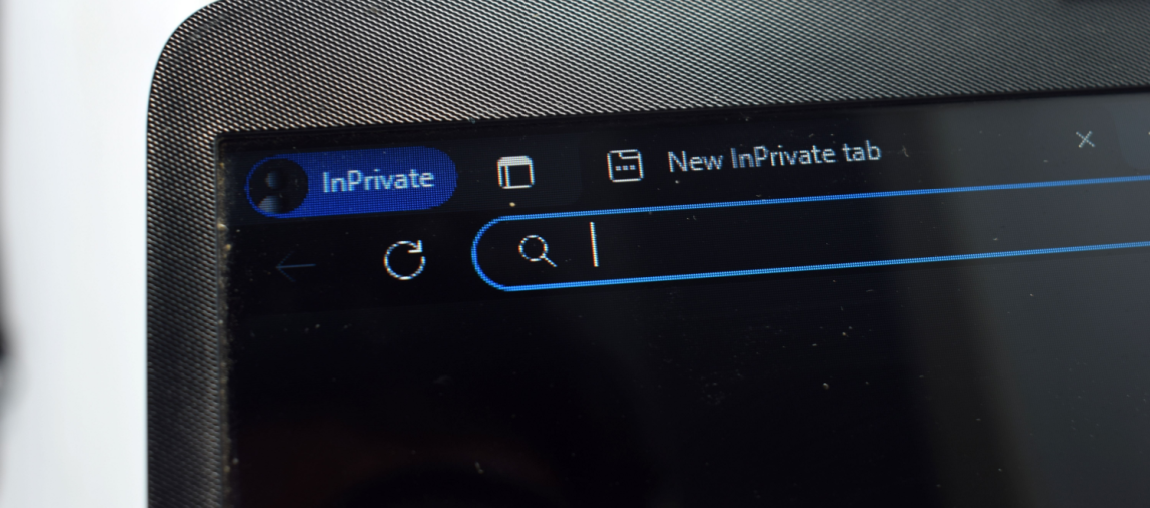
Private browsing is a browser mode that prevents your browser from saving local data—such as history, cookies, and form entries—after the session ends.
It does not hide your IP address, make you anonymous, or stop Internet service providers, employers, or websites from seeing your activity in real time.
In short: private browsing protects privacy on your device, not privacy on the Internet.
What Private Browsing Actually Does
This technique focuses on local privacy. It changes how the browser stores data on your device, not how traffic moves across the Internet.
1. Limits Local Browsing History
Pages visited in a private window are not added to the browser’s history list once the session closes. Anyone opening the browser later won’t see those pages listed.
This only applies to the browser itself. Network-level logs, account activity, and external tracking remain unaffected.
2. Clears Session Cookies When Closed
Cookies created during a private session are removed when all private windows are closed. This prevents sites from staying logged in after the session ends and reduces short-term cross-site tracking.
It does not block cookies while the session is active. Sites still recognize the browser until the private window is closed.
3. Removes Temporary Form and Search Data
Search queries, form entries, and temporary site data entered during private browsing are not stored after the session ends. This helps on shared devices or public machines.
What Private Browsing Does Not Do
This is where many misunderstandings start. Private browsing is often confused with broader privacy or anonymity tools.
It Does Not Hide Your IP Address
Websites, Internet service providers, and network administrators can still see the IP address you’re using. Traffic routing is unchanged.
It Does Not Stop Websites From Tracking You
Fingerprinting techniques, account logins, and active session tracking still work. Signing into a Google, Meta, or Amazon account in private mode ties activity to that account immediately.
It Does Not Protect Network-Level Activity
Schools, employers, Wi‑Fi providers, and ISPs can still observe traffic metadata and destinations. Using a private browser only affects what is stored on the device, not what travels across the Internet.
Private Browsing: Myths vs Reality
Myth: Private browsing makes activity anonymous
Reality: It only hides activity from other users on the same device.
Myth: Private mode blocks tracking
Reality: Tracking still works during the session and through logins or fingerprinting.
Myth: Private browsing replaces a VPN
Reality: This only manages local storage. A VPN protects Internet traffic and masks IP addresses.
When Private Browsing Is Useful
Private browsing still has practical use cases:
- Signing into multiple accounts at once
- Using shared or public computers
- Preventing saved searches or forms on a device
- Testing websites without stored cookies
These are device-level conveniences, not security protections.
Private Browsing vs VPN vs Regular Mode
| Feature | Regular Browsing | Private Browsing | VPN |
| Saves browsing history locally | Yes | No | Yes |
| Clears cookies after session | No | Yes | No |
| Hides IP address | No | No | Yes |
| Encrypts Internet traffic | No | No | Yes |
| Hides activity from ISP or network | No | No | Yes |
| Protects apps outside the browser | No | No | Yes |
This comparison shows why private browsing is often misunderstood. It changes local storage behavior, while a VPN changes how traffic travels across the Internet.
Why a VPN Complements Private Browsing
Private browsing controls what stays on your device. A VPN controls who can see your Internet traffic.
Without a VPN, your IP address, location, and destination sites remain visible to Internet service providers, workplace networks, Wi‑Fi operators, and data brokers—even in private mode.
PrivadoVPN closes that gap by encrypting traffic and masking IP addresses across your entire device, not just inside one browser window. This means browsing activity, background apps, and system connections follow the same protected tunnel.
Features like Kill Switch prevent accidental exposure if a connection drops, Threat Protection blocks known malicious domains, and PhantomMode helps traffic blend in on restrictive networks—capabilities private browsing simply doesn’t offer.
For a deeper breakdown of how IP masking works, see our guide on hiding your IP address.
FAQ: Private Browsing Questions People Actually Ask
No. Private browsing does not hide your IP address. Websites, ISPs, and network administrators still see the same IP address during a private session.
Yes. Internet service providers can still see destination domains and traffic metadata, even when using a private browser is enabled.
It limits stored tracking data after the session ends but does not stop real-time tracking, fingerprinting, or account-based tracking during the session.
No. This only manages local browser storage. A VPN encrypts traffic and masks IP addresses across the Internet.
The Reality Most People Miss About Private Browsing
Private browsing is a local privacy tool, not an anonymity solution. It limits what’s saved on your device, but it doesn’t hide identity, IP addresses, or Internet activity from external observers.
In practical terms, using these browsers hides activity from other people using the same device—not from websites, networks, or Internet service providers. Understanding that boundary helps avoid false assumptions and makes it clear when tools like a VPN are actually needed.If private browsing is the first step, a VPN is what actually closes the privacy gap. PrivadoVPN protects your Internet traffic by masking your IP address and encrypting connections across your entire device. That means websites, networks, and ISPs see VPN traffic instead of direct browsing activity. With features like Kill Switch, Threat Protection, and PhantomMode, PrivadoVPN provides practical, system‑wide privacy that private browsing alone never touches. If you want privacy that extends beyond local browser cleanup, signing up for PrivadoVPN is the logical next step.