Your VPN protects your online privacy each time you connect, so keeping your VPN account secure is essential. If you’ve forgotten your login details or simply want to update your credentials, resetting your PrivadoVPN password is fast, easy, and secure.
Whether you’re locked out or being proactive about account security, this comprehensive tutorial will walk you through the entire process and help you get back to your encrypted connection from PrivadoVPN in just a few minutes.
Why Password Security Matters
Your VPN account is the gateway to a secure, encrypted internet connection. PrivadoVPN is built with the strongest type of encryption and a strict no-logs policy, but your password is the first layer of protection and needs to be secured at all times.
Updating your password regularly helps:
- Protect your account from unauthorized access
- Strengthen your overall online privacy
- Prevent future login issues
- Keep your VPN credentials safe
If you’re experiencing a PrivadoVPN login issue, don’t worry: account recovery is simple.
How to Reset Your PrivadoVPN Password
Step 1: Go to the PrivadoVPN Login Page
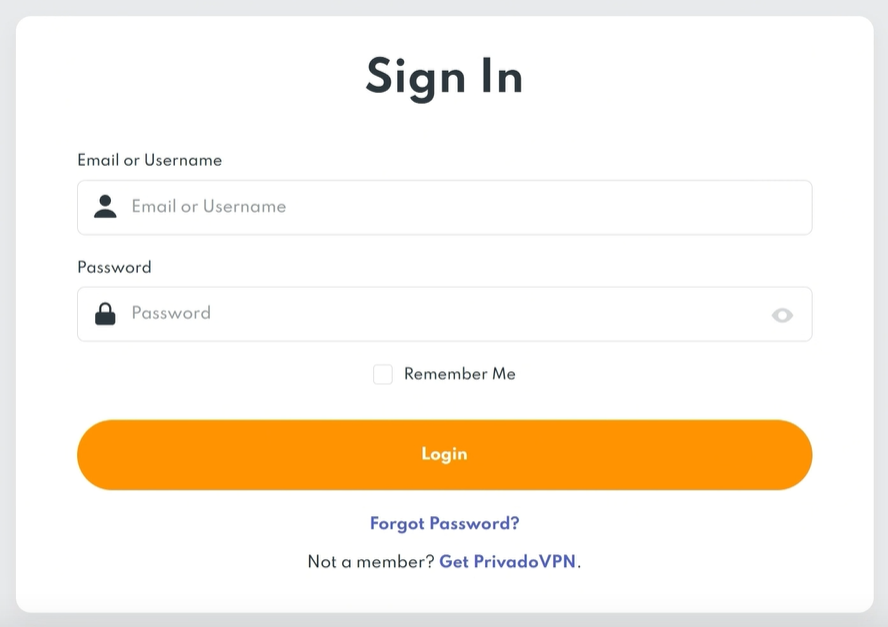
Visit the official PrivadoVPN website and click Log In in the top-right corner.
Under the login fields, select “Forgot Password?” to begin the password reset process.
This is the quickest way to recover your PrivadoVPN account if you can’t remember your credentials.
Step 2: Enter Your Username or Email Address
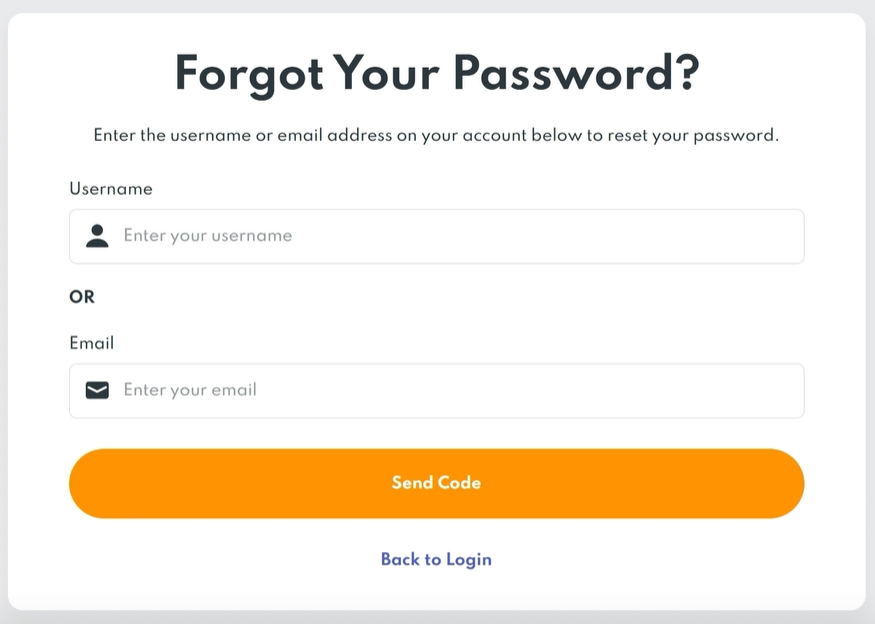
On the password recovery page, enter the username or email address associated with your PrivadoVPN account.
Before submitting, double-check for any possible spelling errors or typos and ensure that you’re the correct username and/or using the same email that you signed up for PrivadoVPN with.
Once you’ve confirmed your username or email address, click Submit to send a secure password reset link to your inbox.
Step 3: Check Your Inbox for the Reset Email
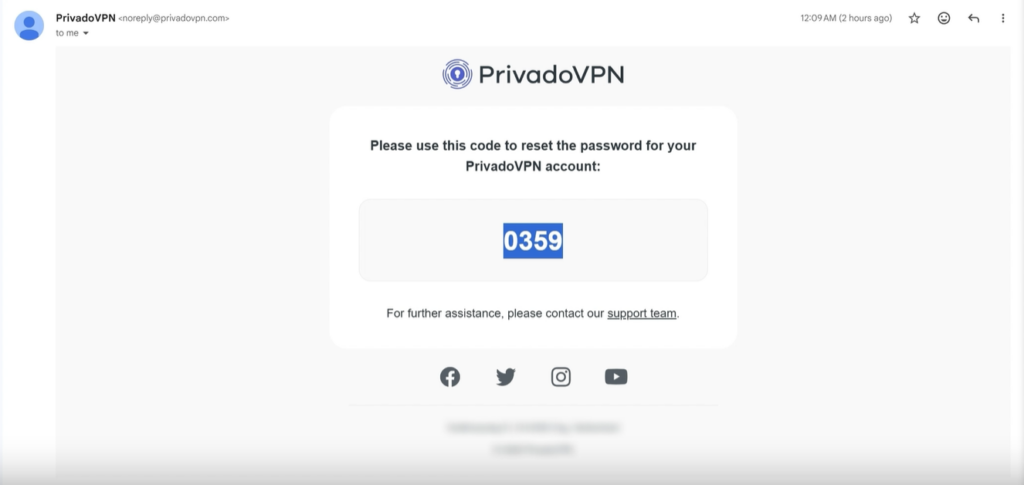
Within a few minutes, you should receive an email from PrivadoVPN with instructions to reset your password.
If you don’t see it within ten minutes, you should:
- Check your spam or junk folder
- Refresh your browser
- Sign in and out of your email provider
After you receive the email, click the secure reset link to continue with the recovery process.
Step 4: Create a New, Strong Password
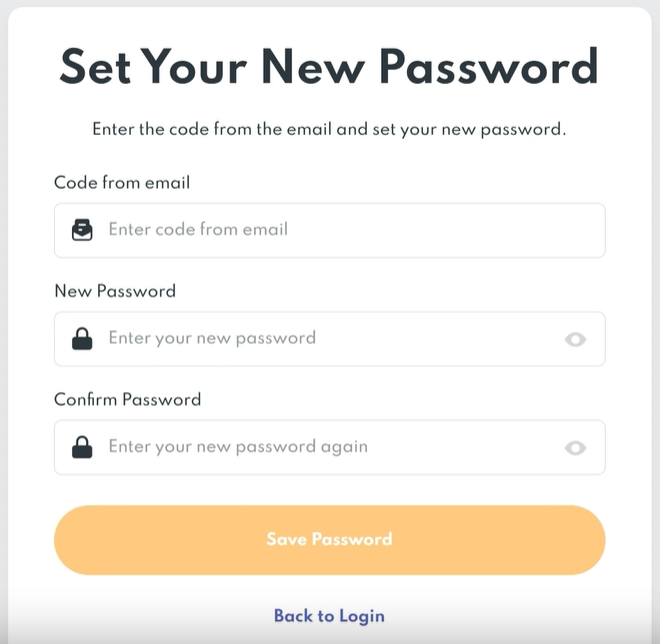
The reset link will redirect you to a secure page where you can create a new password for your PrivadoVPN account.
The following properties are required when creating a new PrivadoVPN password:
- A minimum of 8 characters
- At least one uppercase letter
- At least one lowercase letter
- At least one number
- At least one special character from %[]&!-@_#$^&*(){}=+;.,<>/~ symbols
- First character must be letter or number
- Password can’t contain spaces or non-english characters
- Avoiding previously used passwords
A strong password helps protect your encrypted PrivadoVPN connection and keeps your account secure. With that in mind, we recommend using a password for your VPN that you don’t currently use for another service. Having a unique password that isn’t tied to any of your other accounts adds an additional level of protection for your personal information.
Once you’ve confirmed your updated credentials, submit your new password.
Step 5: Log Back In and Reconnect to PrivadoVPN
After successfully resetting your password, you can return to the PrivadoVPN login page on the web or in the app. From here, you’ll be able to quickly sign in using your new credentials.
Once signed in, you’ll regain access to your PrivadoVPN dashboard where you can reconnect to a secure server immediately.
Tips to Prevent Future VPN Login Issues
To avoid needing another password reset for your PrivadoVPN account in the future, consider these best practices:
- Use a trusted password manager
- Avoid reusing passwords across multiple accounts
- Update your credentials periodically
- Store your login details securely
Taking small steps now can help protect your PrivadoVPN account long term, giving you ongoing protection against potential threats, prying eyes, and ads for more guaranteed peace of mind.
Still Need Help?
If your reset link has expired or you’re still unable to sign in, PrivadoVPN support is available to help with account recovery and login troubleshooting. Contact our team day or night to get fast, dependable support and recover access to your account in no time.