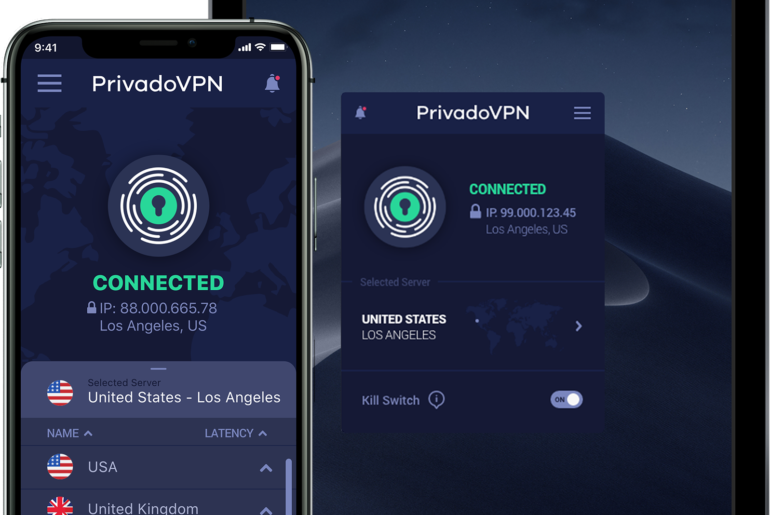
PrivadoVPN iOS version 3.12.1 introduces Smart, a new addition to the existing Best Location setting. This feature improves speed and reliability by using multiple performance factors to find the best server for you, wherever you are.
If you already use PrivadoVPN’s automatic server selection, Smart builds on that foundation with a more advanced decision model.
Smart is available in the app under:
Settings > VPN > Best Location
How Best Location Works Today
Before Smart, users had four Best Location options:
1. Automatic
Allows the app to determine which methodology to use. In this mode, PrivadoVPN selects the Best Location logic automatically based on its internal evaluation.
2. Geo
Chooses a server based on physical proximity to your device. The closer the server, the shorter the distance your traffic travels.
3. Latency
Runs a ping test and selects the server with the lowest response time.
4. Disabled
Turns off automatic selection and defaults to the last server you manually chose.
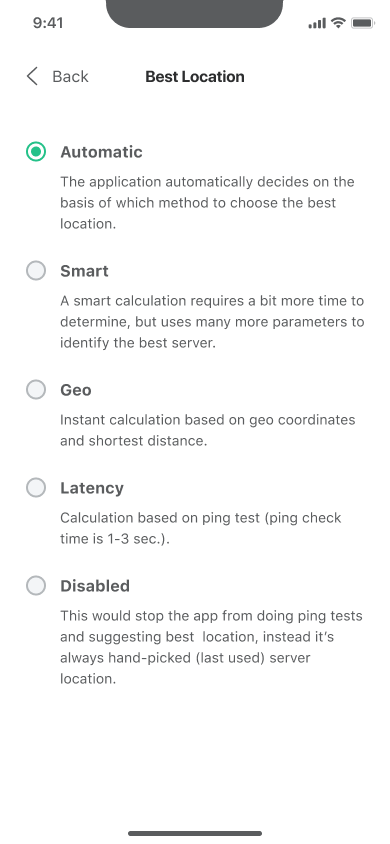
Each method works well in specific scenarios. However, distance alone does not always equal performance, and the lowest ping does not always reflect overall server health.
What Smart Locations Does Differently
The Smart location option gives you faster, more reliable connections by picking the server that performs best in real time. Instead of relying only on distance (Geo) or ping results (Latency), it analyzes a combination of speed indicators, server responsiveness, and overall reliability to determine which location is most likely to deliver stable performance. This multi‑factor approach helps avoid servers that are geographically close but temporarily congested. The result is more consistent speeds and fewer performance fluctuations across Wi‑Fi, mobile data, and changing network conditions.
Why This Matters for VPN Performance
VPN performance depends on more than just geography.
For users who want the fastest VPN experience without manually testing servers, Smart removes the guesswork.
A server that is physically close may still experience load spikes. A server with low ping might fluctuate under heavy demand. The Smart location option adapts to these conditions dynamically.
This is especially useful when:
- Connecting quickly on mobile
- Switching between Wi‑Fi and cellular
- Traveling between regions
- Using high‑bandwidth applications
How to Enable the Smart Option
To turn on Smart in Best Locations for iOS 3.12.1 and above:
- Open the PrivadoVPN app
- Go to Settings (the hamburger menu at the top)
- Tap VPN and then Best Locations
- Choose Smart
Once enabled, PrivadoVPN will automatically select the most suitable server based on its multi‑factor evaluation.
Smart Locations and Other PrivadoVPN Features
The Best Locations Smart option enhances PrivadoVPN’s broader performance and security ecosystem. It works alongside fast global servers, Kill Switch, split tunneling, and Control Tower features such as Threat Prevention, Ad Blocker, Secure DNS, and Parental Controls. While Smart optimizes which server you connect to, these features protect and manage your traffic after connection, creating a faster and more resilient VPN experience overall.