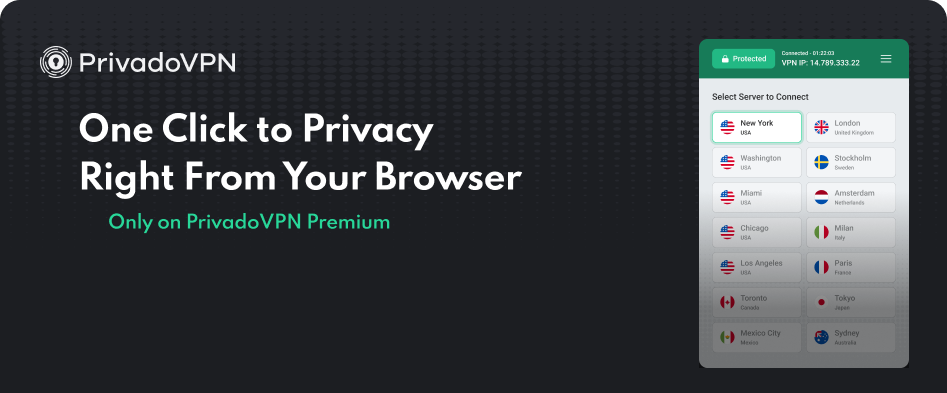
The PrivadoVPN browser extension is the fastest way to stay private while using your Web browser. It routes your browser’s Internet traffic through a secure proxy, shielding your real IP address without encrypting your data. It’s ideal for people who want lightweight privacy protection without installing a full VPN app.
Unlike a full VPN client that covers all traffic on your device, the browser proxy affects only your Web browser activity. This makes it perfect for quick IP masking when you’re using public Wi-Fi, logging into personal accounts, or accessing region-restricted websites securely.
Note: PrivadoVPN browser extensions are available exclusively to Premium subscribers.
Key Features and Benefits
Instant Browser Privacy
Activate privacy in seconds. Once connected, the extension hides your IP address by routing browser traffic through PrivadoVPN’s secure proxy servers.
Global Proxy Network
Choose from multiple secure locations around the world to safely access region-restricted websites.
Lightweight and Fast
Because it runs in the browser, it uses fewer system resources than a full VPN, providing fast proxy connections while keeping your device responsive.
Works Across Major Browsers
Available for Chrome, Firefox, Brave, and Opera browsers, the PrivadoVPN extension provides consistent privacy protection no matter which browser you use.
How to Set Up the PrivadoVPN Browser Extension
Follow these steps to get started:
- Visit the PrivadoVPN for Browsers page.
Go to the PrivadoVPN for Browsers page and select your preferred browser (Chrome, Firefox, Brave, or Opera). - Add the extension to your browser.
You’ll be redirected to your browser’s extension store where you can install the official PrivadoVPN extension published by Privado Networks AG. - Confirm installation and permissions.
Once added, the extension will appear in your browser’s toolbar. - Log in with your PrivadoVPN Premium account.
The browser extensions are available only to Premium subscribers. Once logged in, you’ll have access to all available proxy locations. - Choose a proxy location.
Select your preferred region and click Connect. The extension icon will update once active. - Start browsing privately.
All browser traffic will now route through PrivadoVPN’s proxy network, masking your IP address from websites and trackers.
For detailed software setup guides, visit the PrivadoVPN software page.
Why Use the PrivadoVPN Browser Extension
The PrivadoVPN browser proxy offers a simple way to mask your IP address and improve privacy without the need for a full VPN setup. It’s designed for users who want quick, browser-based protection without changing system settings.
Fast, Convenient Privacy
The extension provides instant IP masking right from your browser toolbar. This makes it perfect for everyday privacy needs and short browsing sessions when you want to stay anonymous without running a full VPN app.
Ideal for Public and Shared Networks
When using public Wi-Fi or a shared computer, the browser proxy adds an extra layer of safety by keeping your IP address hidden from websites, advertisers, and trackers.
Lightweight Protection for Daily Use
Because it only affects browser traffic, the extension keeps your device running efficiently while maintaining steady proxy performance. It’s a smart option for those who prefer lightweight privacy tools.
PrivadoVPN browser extensions are part of the Premium plan, which also includes Split Tunneling, Threat Protection, and SmartDNS — the most complete privacy suite across Windows, macOS, Android, iOS, and smart TVs. Upgrade to PrivadoVPN Premium to start using the browser extension and access all advanced privacy features.