The social platform X (formerly Twitter) recently rolled out a new “About This Account” feature. Under that section users may see information about where an account is based — including country or region.
The stated goal: improve transparency and help users gauge whether they might be interacting with a real person or an account run from elsewhere.
What’s Being Revealed
As the feature spread, multiple known accounts that portrayed themselves as U.S.-centered were shown to be based outside the United States.
This exposed what some call “fake” or misleading accounts — often amplifying divisive or political messages but operating from foreign locations.
Why this Matters for Users Under Censorship or Political Pressure
For people living in countries with heavy censorship or political pressure, exposing a real location can create significant risk. Even general commentary on global events can lead to unwanted attention if authorities learn the user is speaking from inside restrictive borders.
- Governments may target activists, critics or dissidents whose online identity is revealed.
- Simply claiming U.S. citizenship or foreign residence isn’t enough if platform data exposes actual location.
- A feature meant to combat disinformation could become a threat to personal safety where expression is restricted.
That makes privacy tools more relevant than ever.
How to Hide Your Location Inside X
X now gives you a way to make your visible location less precise by broadening it to a region or continent instead of a specific country. This does not fully hide where you connect from, but it makes the public label less exact.
Follow these steps to adjust that setting:
Time needed: 5 minutes
- Go to your profile
Click on your X join date on your profile.
- Go to Settings
In the window that opens, click the gear icon in the upper-right corner.
- Go to About your account
Select Privacy and safety > About your account.
- Change the location settings
Under location display options, choose the Use Region/Continent radio button.
- Use X
Return to your profile and continue using X as normal.
After this change, other users will see a broader region or continent instead of a more specific country, which can reduce how precisely your location appears to be tracked. For even stronger protection, it helps to combine this with a VPN, described in the next section.
Why This Doesn’t Solve Misinformation

The broader location setting can make a profile less revealing, but it doesn’t meaningfully solve the misinformation problem. People should never be forced to disclose where they are, and tying authenticity to physical location is a flawed premise to begin with.
Misinformation doesn’t require foreign actors. It can be created and amplified by people in the same country, in neighboring countries, or even within the same region that X now displays. Broadening or exposing location does little to identify motive, verify accuracy, or stop coordinated campaigns.
It also raises questions about what X already knew. If the platform had enough internal data to label accounts by country or region, it’s unclear why that information wasn’t used to make recommendation algorithms more resilient—particularly when accounts suggested they were based in one place but behaved as if they were somewhere else.
In the end, location labels add a layer of visibility without addressing the core issue: misinformation spreads because it is fast, emotional, and easy to amplify, not because of where someone is sitting when they post.
How a VPN Can Help Protect Your Online Location
A Virtual Private Network (VPN) routes your traffic through remote servers, hiding your real IP address and masking your geographic location. This adds a layer of privacy.
If you use a VPN, your online presence may appear to originate from a different country — helping you avoid location-based tracking or profiling.
How PrivadoVPN Adds Another Layer of Protection
Even after adjusting in‑app privacy settings, your IP address still reveals your approximate geographic region. That’s one of the signals X may use for its country/region label.
PrivadoVPN hides your real IP behind an encrypted connection routed through a secure server. When you connect through PrivadoVPN, X only sees the VPN server’s location, not your own. This is especially helpful for:
- Users in countries with strict censorship
- Travelers who want consistent privacy on public networks
- Anyone who prefers to separate their online identity from
Why PrivadoVPN is a Solid Choice
PrivadoVPN delivers strong location masking and helps you stay anonymous online. It’s suitable for users who want to protect their identity or browse safely when worldwide attention to account origin is rising.
Signing up gives you access to:
- Encrypted, private connections that hide your real IP and region
- The ability to choose your virtual location for enhanced privacy
PrivadoVPN offers fast servers across multiple regions and strong encryption to keep your online activity hidden.
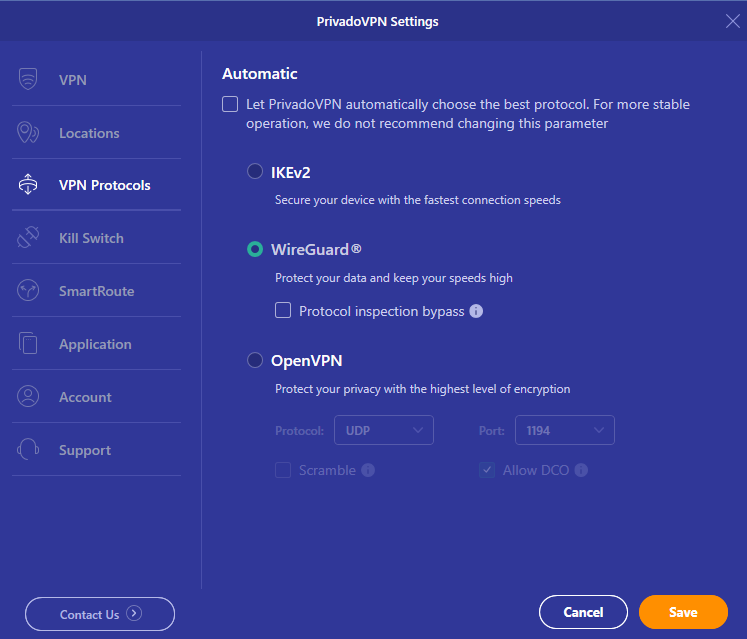
Sign up today to protect your privacy.